ORD1
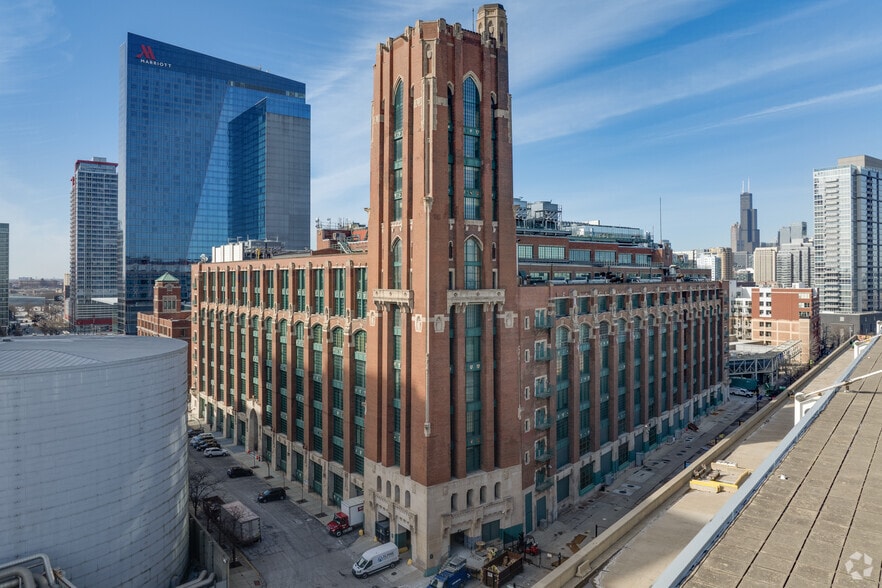
For work involving site support or logistics at ORD1 or ORD2, a quick call to DRT can help confirm the ticket is visible and understood and identify any site specific considerations such as access, COI, timing, lift support, staging, or handoff.
Early confirmation can help prevent avoidable delays.
- 2nd floor · Suite 220
- 2nd floor · Cage 285
- 3rd floor · Suite 366
- South lobby parking with a 3-hour limit, or street parking.
- Freight Elevator 3 access is required when project movement spans floors 1–3.
- Dock access and receiving coordination are controlled by ORD1 building security and DRT.
- Driver checks in with dock security. WO and COI are validated before the shipment is accepted.
- A valid inbound request allows DRT to receive material into DRT custody and stage it without requiring the Meta vendor to be physically present.
- The responsible vendor should still be onsite and engaged for project deliveries even when DRT is authorized to receive the shipment into colo custody. The vendor guides receiving, confirms the correct staging or destination, supports questions, and verifies the handoff.
- Pallet breakdown, unpacking, and packaging removal occur at the dock before material moves upstairs. Suite 366 is used for staging and handoff, not pallet breakdown.
- Freight Elevator 3 access is required when movement spans floors 1, 2, and 3.
- Only broken-down project material moves upstairs after dock-side unpacking and packaging removal.
- DRT takes custody of the prepared outbound material from Suite 366 and executes the movement to the dock for carrier pickup.
- The responsible vendor should still be onsite and engaged for project deliveries even when DRT is authorized to receive the shipment into colo custody. The vendor guides receiving, confirms the correct staging or destination, supports questions, and verifies the handoff.
- Pallet breakdown, unpacking, and packaging removal occur at the dock before material moves upstairs. Suite 366 is used for staging and handoff, not pallet breakdown.
- Suite 366 is the established Meta staging and material handoff point.
- DRT retains custody and physical movement responsibility until material is released to the Meta vendor in Suite 366 or the destination cage.
- Once material is released to the vendor, the responsible vendor handles subsequent project movement.
- Freight Elevator 3 access is required when movement spans floors 1, 2, and 3.
- Suite 366 supports inbound staging, outbound/RL holding, and controlled material handoff.
- For reverse logistics, the vendor prepares the material in Suite 366 by identifying, counting, wrapping, securing, and labeling it with the correct PROGW#.
- DRT takes custody of the prepared outbound material from Suite 366 and executes the movement to the dock for carrier pickup.
- Suite 220 and Cage 285 are Meta spaces; Suite 366 is the staging and handling area in this site model.
- The responsible vendor should still be onsite and engaged for project deliveries even when DRT is authorized to receive the shipment into colo custody. The vendor guides receiving, confirms the correct staging or destination, supports questions, and verifies the handoff.
- Suite 366 supports inbound staging, outbound/RL holding, and controlled material handoff.
- DRT is based from Suite 350 at ORD1 and dispatches support to ORD2 when requested.
- Smart Hands covers operational or technical support outside normal inbound/outbound logistics.
- DRT Operations / Smart Hands Technical Office: 312-326-3400. Use this number only after the appropriate ticket or tickets have been opened.
- The on-duty DRT technician can verify that submitted tickets are visible, confirm that the instructions are clear and actionable, and provide follow-up or clarification on the requested work. The hotline does not replace the ticketing process or authorize unticketed work.
- Smart Hands support supplements the responsible vendor or project team; it does not transfer scope ownership.
- ORD1 building security and DRT control dock access and receiving coordination.
- DRT is based from Suite 350 at ORD1 and dispatches support to ORD2 when requested.
- Driver checks in with dock security on arrival. Dock security verifies the work order and COI and alerts DRT that the truck has arrived.
- For shipments to ORD1, the project owner must explicitly detail the complete movement and staging request in the Inbound (TRT) ticket itself: instruct DRT to receive the shipment at the dock, transfer the materials to Meta staging space Suite 366 on the 3rd floor, and place them in the designated Inbound staging area within Suite 366. A generic request to receive or stage the shipment is not sufficient. With a valid inbound request containing these specific instructions, DRT can receive and stage the shipment without the Meta vendor being physically present. The responsible vendor should still be onsite and engaged for project deliveries to guide receiving, support questions, and verify the handoff.
- DRT retains custody and physical movement responsibility until material is formally released to the Meta vendor in Suite 366 or the destination cage.
- To release received material from DRT custody, Meta submits the outbound/release request with detailed handoff instructions. Release is always handled under the Outbound ticket class.
- Once material is released to the vendor in Suite 366 or the destination cage, it is in Meta/vendor custody. No additional DRT release verification is required.
- For outbound/RL, the vendor owns preparation: identify, count, wrap, secure, label, and stage the material with the correct PROGW# clearly visible.
- A vendor-provided photo of completed RL staging is strongly preferred because it confirms the material is prepared and identifiable before the outbound request is executed.
- The vendor returns prepared outbound/RL material to Suite 366. Meta submits the outbound request with PROGW#, material description, count, handoff instructions, and pickup timing; DRT then executes the outbound movement.
- Smart Hands is the DRT support path for everything outside inbound/outbound logistics: internal movement, staging assistance, RMA work, break/fix, circuit verification, troubleshooting, cleaning/scope work, and other onsite operational or technical support.
- Smart Hands supplements the responsible vendor or operations team; it does not transfer ownership of the underlying scope. Requests must be actionable and state what is needed, current location, destination, requested action, PROGW#, timing, and any access or lift dependency.
Use for material arriving at ORD1. The project owner must explicitly detail the complete movement and staging request in the ticket comments: instruct DRT to receive the shipment at the dock, transfer the materials to Meta staging space Suite 366 on the 3rd floor, and place them in the designated Inbound staging area within Suite 366. A generic instruction to receive or stage the shipment is not sufficient. Include PROGW#, carrier/shipment identification, material description, expected count, and delivery window. With a valid inbound request containing these specific instructions, DRT can accept and stage the shipment without vendor presence; however, the responsible vendor should still be onsite and engaged to guide receiving and verify the handoff.
Always required to release staged material to the Meta vendor. Comments should identify the material, PROGW#, count, current location, destination/handoff point, timing, and receiver.
Use after the vendor has completed RL preparation. Include PROGW#, material description, count, pickup/handoff instructions, and preferably vendor photos showing completed staging.
Use for everything else: internal movement, staging support, RMA, break/fix, verification, troubleshooting, cleaning/scope work, and other onsite support. The comments must define the exact task.
DRT uses three request classes: Inbound, Outbound, and Smart Hands. The ticket class tells DRT the category; the comments and detailed instructions tell DRT exactly what to execute.
- WO + COI checked at dock security
- Ticket class + detailed instructions
- Freight Elevator 3 access
- PROGW# + count + RL photo for outbound